Send us your footage
One submission is one fight. Add every point of view you can get: one recording works, several make a better replay.
How to record footage we can use
We read everything straight off the picture, so the recording is all we have. Five things decide whether footage lands on the map.
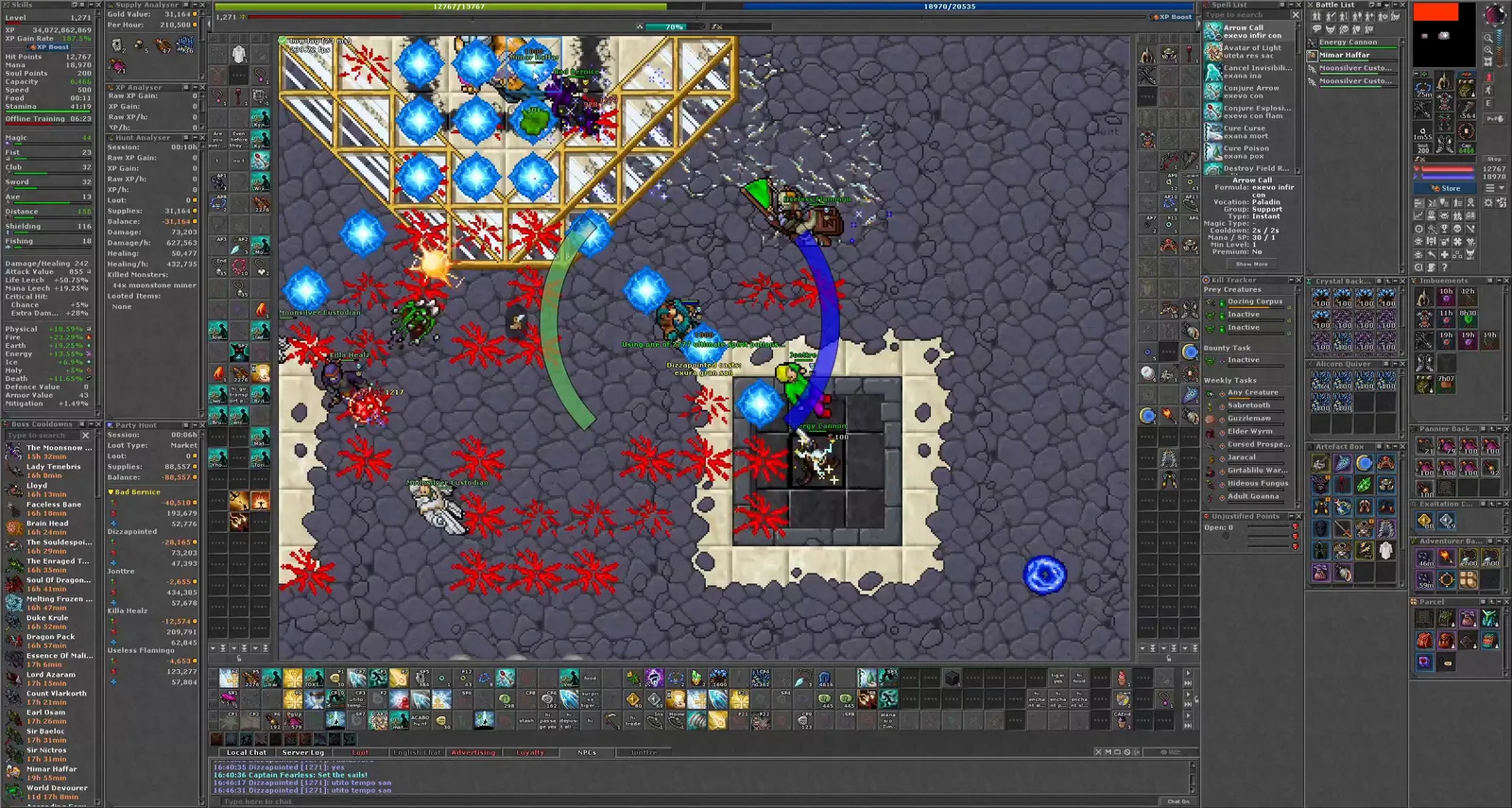
Resolution and frame rate
Record at 1080p or better, at 60 frames per second if your recorder can. Do not upscale a smaller capture: the extra pixels are invented and there is nothing in them to read. If you upload it to YouTube, upload the original, not a compressed copy. A sharp recording is worth more to us than a small one.
Every panel open
Keep the panels outlined in the picture above open while you record: Skills, the XP and Hunt Analysers, Party Hunt, the Kill Tracker, Unjustified Points, the Battle List, the minimap, your equipment and Imbuements. We do not read all of them yet, but a panel that is open in the recording is one we can use later, and a collapsed one is simply not there.
Nothing over the play area
No facecam, no stream overlay, no alert popups and no stream chat across the game window. Anything drawn on top of the play area hides the ground we are reading, and a covered patch stays covered for good. Put overlays outside the game window, or keep a clean local capture beside the stream and send us that one.
Capture the whole client
Record the entire client window, panels and all, not a crop of the play area on its own. A crop loses the panels, and the edges we use to line up one player’s footage with another’s.
Links and timecodes
We take links, not files: an unlisted YouTube or Twitch VOD is fine, and so is a public one. Give the timecode where the fight starts, unless the link already jumps there on its own. We use up to 30 minutes of each point of view, counted from there. If one player’s recording is several hours long, the timecode is what saves us watching all of it.